

Good first prompts
- “Summarize critical dates for store 1842 this quarter.”
- “Find the latest CAM reconciliation letter for this landlord.”
- “Abstract this lease and list co-tenancy clauses with citations.”
- “What changed in the SharePoint folder for project Riverside since last week?”
How to work with answers
- Read citations and sources — prefer answers that show where a fact came from.
- Correct mistakes in chat — Hugo should learn from targeted corrections in the workspace.
- Save deliberately — only promote drafts you intend to keep as durable workspace artifacts.
- Do not paste secrets unnecessarily — use connected systems instead of pasting credentials or unrestricted PII into the prompt.
UI walkthrough
When you open agent.surfaice.pro:1
Workspace selector
Confirm you are in the correct customer workspace before asking about store numbers or leases.
2
Chat input
Type natural language or
/ for skill autocomplete. Be specific: store #, landlord, project, date range.3
Skills panel
Browse skills by scope (built-in, company, workspace). Click a skill to start with its playbook loaded.
4
Citations and Preview
Answers may include source links. Maps, dashboards, and reports open in Preview — if Preview is empty after a long wait, see Working with Hugo.
5
Apps (punch walk, document abstraction)
High-stakes workflows open structured Apps — guided UIs with checklists and review panes — prefer these over chat-only capture for field work. See Apps & automations.
Annotated product screenshots will be added in a future docs release. Until then, use the steps above with your workspace admin on the first session.
Web search
When the answer isn’t in your connected systems, Hugo can search the live web — a municipality’s permit-portal hours, a manufacturer’s spec sheet, a contractor’s public license status, a market ranking, a current code reference. Ask the way you’d ask a colleague:- “Search the web for the City of Norwalk building department permit fee schedule.”
- “What’s the standard cure time for the sealer in this spec? Check the manufacturer’s site.”
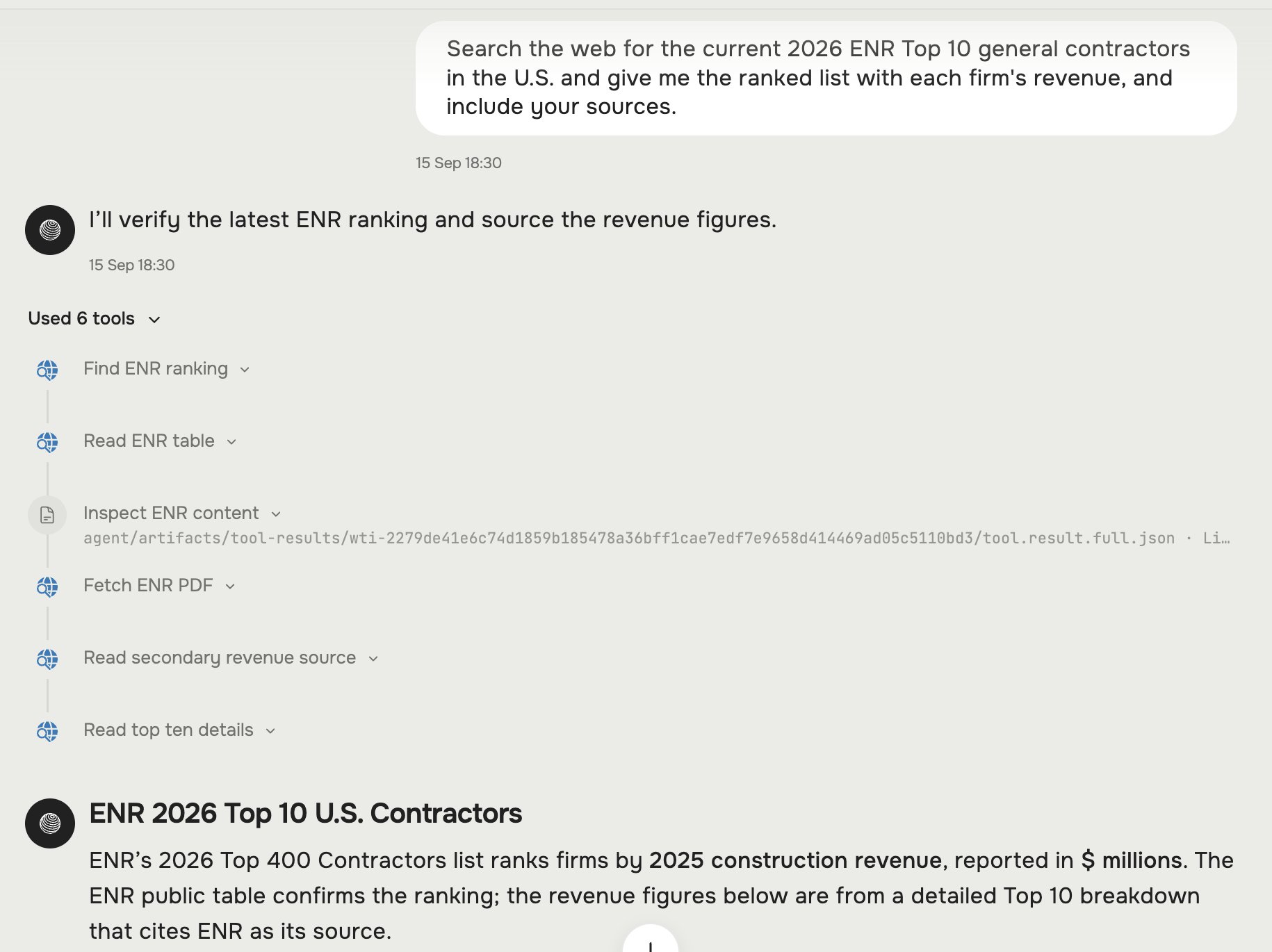
Hugo searching the public web — finding, then reading several pages — to answer a question it can't answer from your connected systems.
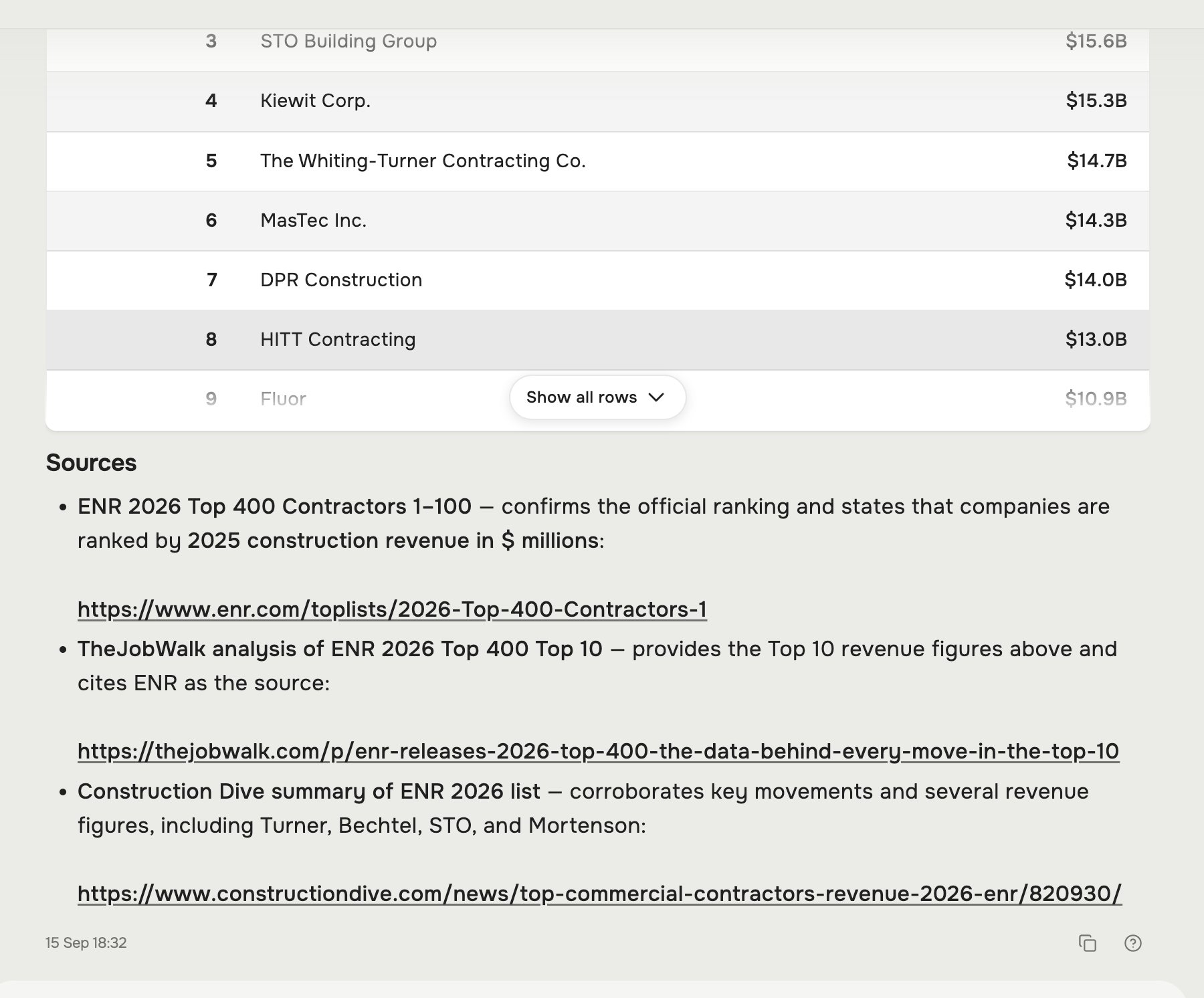
The answer comes back with a Sources list — every figure is a link you can open and verify.
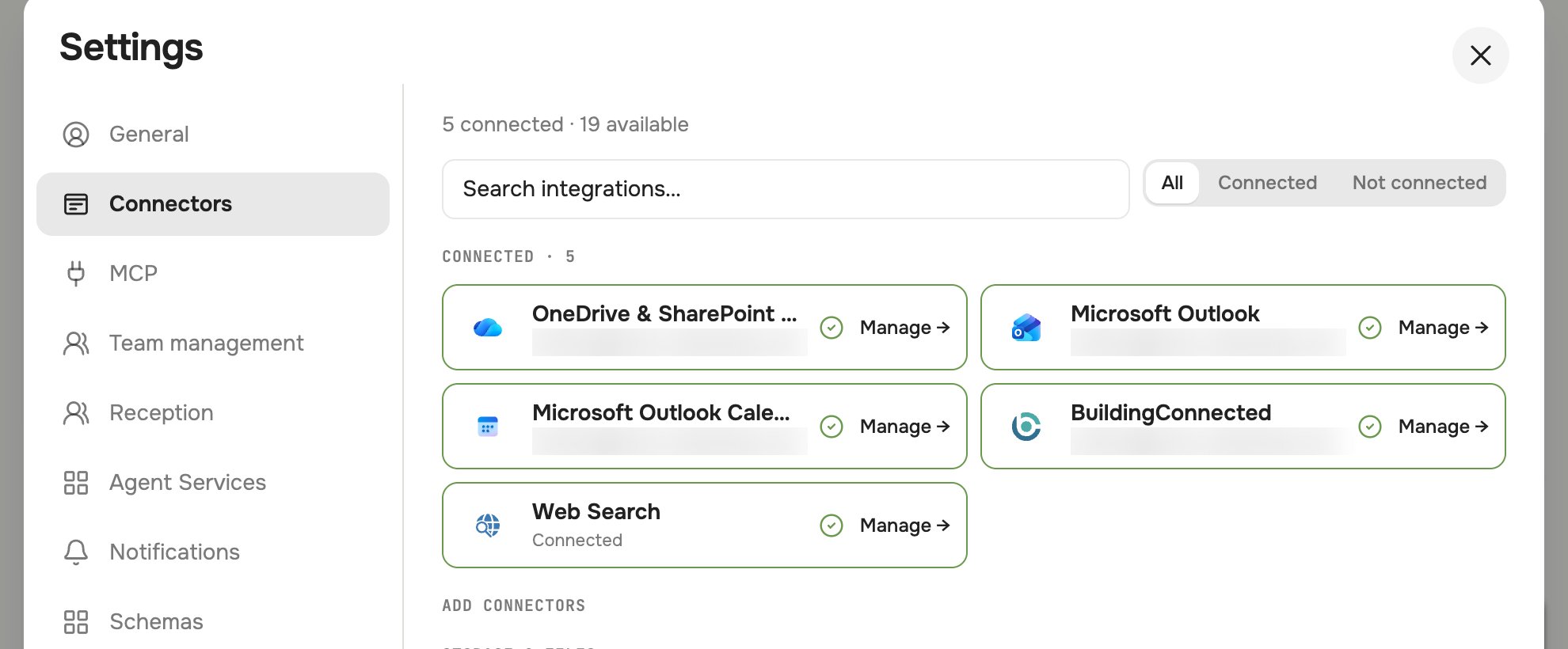
Settings → Connectors — Web Search shows as Connected once your admin has enabled it for the workspace.
Maps & store location
Ask Hugo for a store’s location and it returns a Google Maps link and coordinates, and can open a satellite Preview of the mapped property:- “Pull the Google Maps link for Store 1507 in Norwalk, California.”
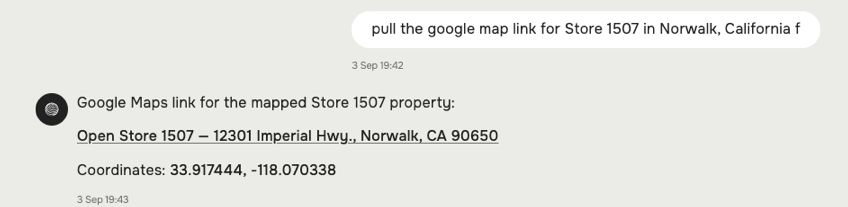
Ask for a store's location — Hugo returns the mapped address, a Google Maps link, and coordinates.
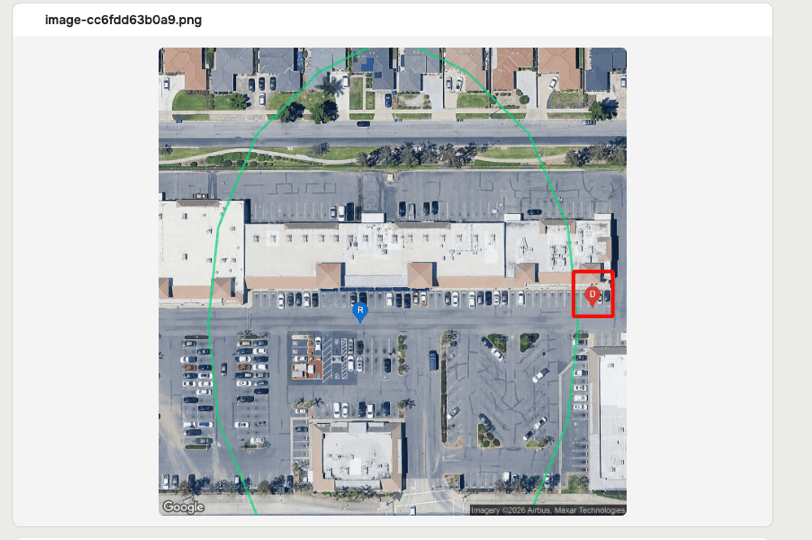
The satellite Preview of the mapped store property, with the location marked.